



Sanity CMS is powerful, flexible, and when implemented correctly, can transform how your team manages content. But if you've found yourself frustrated with your current Sanity implementation, you're not alone.
As a Sanity Certified Partner and home to one of the few Sanity nominated MVPs, we've seen it all. Broken live previews, missing click-to-edit functionality, inflexible page builders, and content that refuses to update when published.
These aren't just minor inconveniences. They're productivity killers that can leave your team frustrated and your digital presence compromised.
In this article, I'll walk you through the most common Sanity implementation issues we encounter, explain why they happen, and share how we fix them. No jargon, no unnecessary complexity. Just practical solutions for issue I've solved dozens of times before.
Let's get your Sanity build working the way it should.
Live Preview
One of the two biggest draws to Sanity, Live Preview gives teams a consistent, reliable preview of their content in real time…
When it's configured correctly.
If it isn’t, you’ll see content that doesn’t update when you type, unreliable content previews, or worse: no preview at all. Without live preview, you can’t have confidence in what you’re publishing, and may end up pushing out content that looks poor and could hurt your brand.
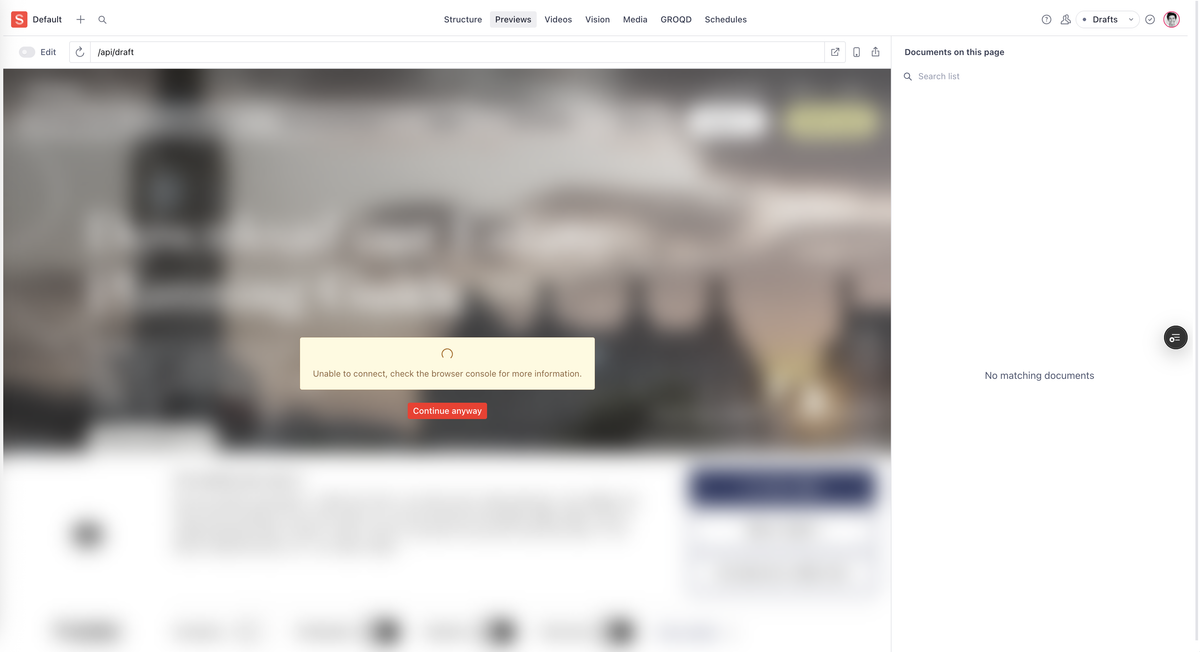
Live Preview issues usually stem from one of three areas:
- Incomplete or incorrect setup of
@sanity/visual-editing - Missing document resolvers for main documents and locations
- No implementation of live preview at all, or an outdated codebase from before live preview was released
To solve this, the implementation of @sanity/visual-editing needs to be investigated, and either implemented or corrected.
Correct document resolvers need to be put in place so that Sanity can understand what URL to show based on what document is being edited. These need to be based on your content model and your content destinations.
If the codebase is outdated and this feature isn’t available then an upgrade is required to enable its use. During this process, for security of your website, you should audit all other packages used and upgrade them to ensure security patches are applied.
Ideally this process is applied every 3 months as part of an on-going security and maintenance plan to prevent data breaches and keep your users safe. Ask Hex about security and maintenance.
Click-to-Edit Functionality
A second headline feature of Sanity is the ability to click on any content across your websites and be immediately taken to the correct field to edit it.
Whether you manage a single website with Sanity, or are responsible for a vast cohort of websites, apps, and other mediums, this feature makes editing your content speedy and efficient.
However, when set up incorrectly, or not set up at all, you’re back to relying on your regular studio view to navigate content. It’s so frustrating to be looking at the content you want to edit on your site yet struggling to find it in the CMS.
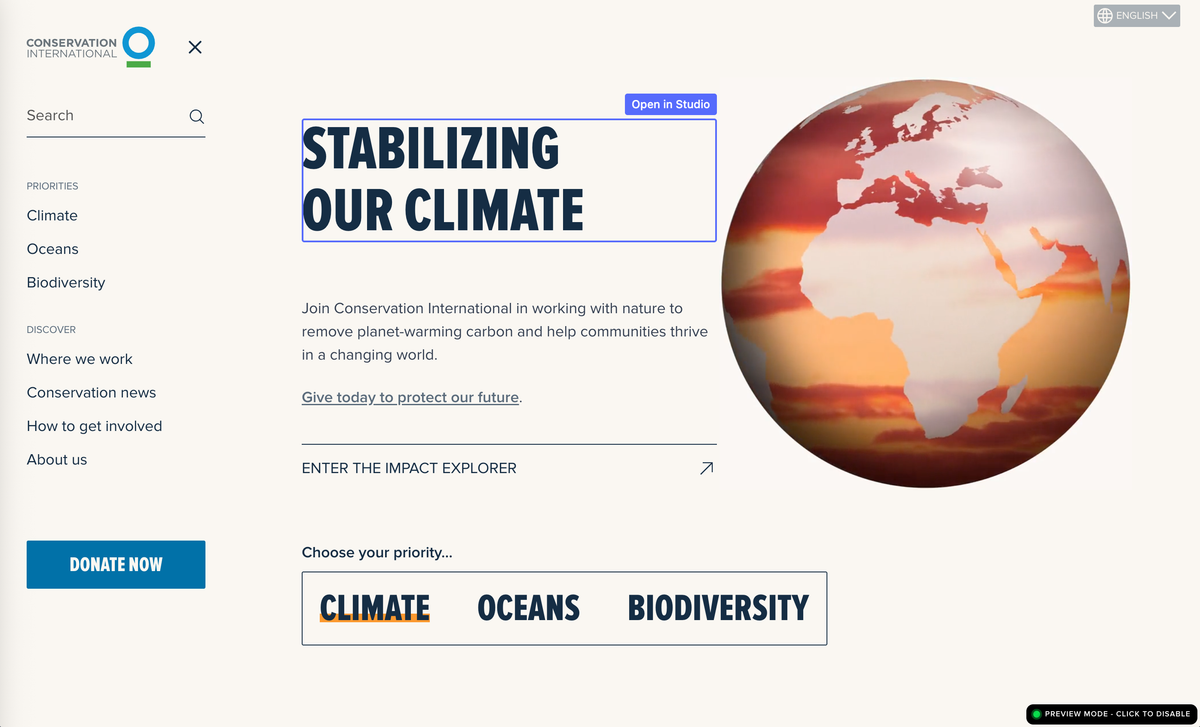
Common problems with click-to-edit include:
- Incomplete or incorrect setup of
@sanity/visual-editing - Unable to click on any images and some text, as stega encoding has not been set up correctly on those elements
- Clicks on “Edit in Studio” don't take you to the exact field to edit, or open an incorrect link entirely
To solve these, investigate what has currently be implemented, if anything. Look for uses of @sanity/visual-editing or next-sanity and ensure that stega is enabled in both the sanity client configuration and on the individual sanityFetch calls.
Once you have click-to-edit working on some regular text, work through the rest of the codebase and apply the correct encoding tags to images and other elements that do not have click-to-edit.
If you have modular content or a page builder you’ll need to integrate stega encoding within these features to ensure the nested modules can build the correct URL for click-to-edit.
Lastly, ensure your studio URL and workspace are set correctly in your configuration, and if the right document still isn’t opening then explore how the URL is being built to fix it.
Hex are both Sanity Certified and Sanity Preferred Partners, and have one of the very few Sanity MVPs as our Head of Engineering. What we mean is we’re extremely good at working with Sanity. If you need a project built, or unfortunately need one rescued, have a chat with us free-of-charge to see what we can do for you.
Modular Content / Page Sections Lacking Flexibility
You can’t foresee all the content you’ll need on your website when it’s initially being designed. As your business grows and adapts your messaging and the way you communicate may need to change.
Having a website that can grow and adapt with you is vital. Being stuck with brittle sections that force you to change your content to fit into it is at best frustrating, and at worst extremely damaging for your brand and business.
Making granular tweaks to the codebase to allow for certain content can be costly, and can lead to a CMS that is overly cumbersome, littered with nondescript fields for all sorts of manual adjustments.
This is something I’ve seen time and time again with page builders created without thought for flexibility. Being given rigid fields and told “this block can only have this type of content and in this order”. No thought to how content may need to change over time.
Unfortunately, this issue is caused by the core architecture of how your pages render their content. Thankfully, as it’s such a common issue, we’ve developed steps to incrementally migrate to a much improved, more flexible solution. We can even automatically migrate all content from the old style to the new one, enhancing it with much more flexibility.
To improve this, start by implementing a more flexible page builder, and add it to your document schema alongside your existing one. Then pick a single page, such as the Homepage, and build the modular content blocks needed for that page into your new page builder. Add a checkbox called “Use new page builder”, and update your frontend to load the new page builder when it’s checked.
Hex has developed an in-house page builder called Modular Content. You can learn more about creating your own similar system in this video I created for Sanity titled “Building on Modular Content for Fast, Flexible Editing”. Or let us do it for you.
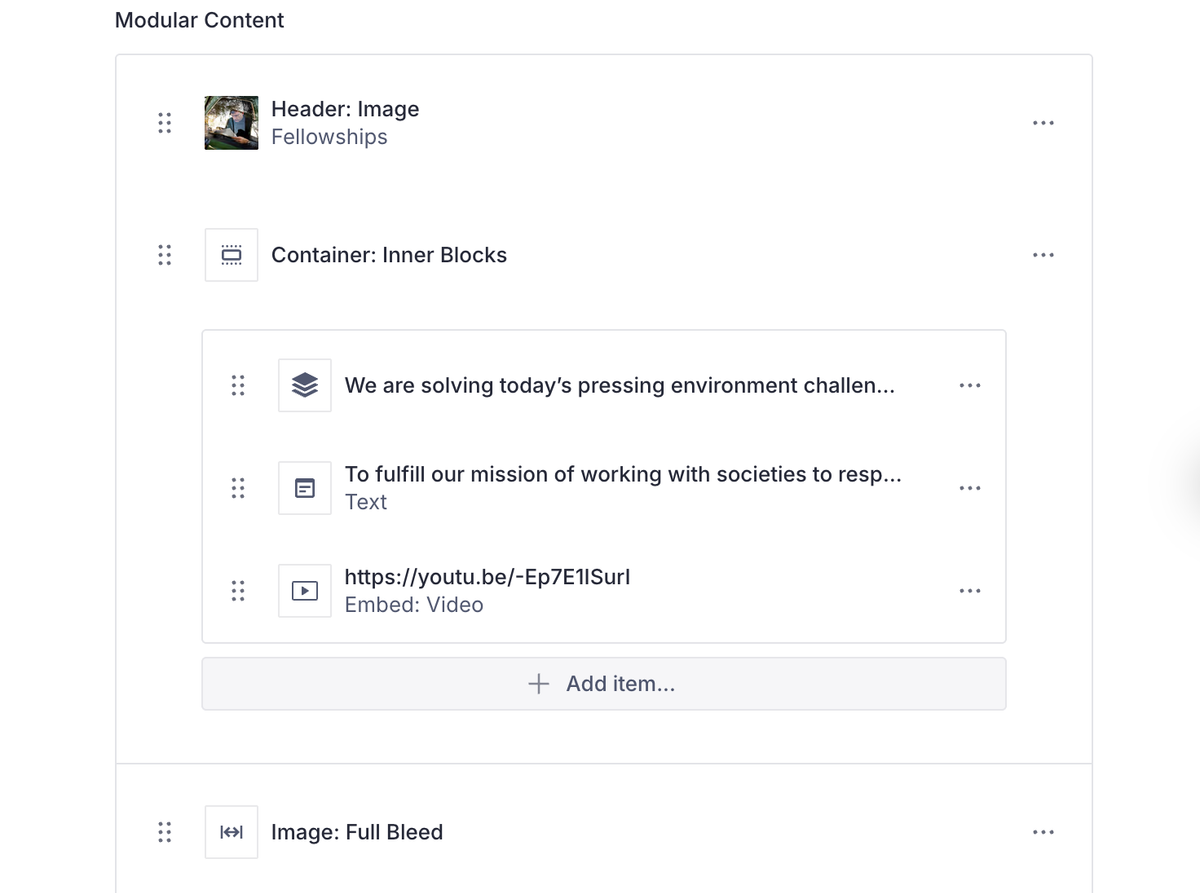
This incremental approach can then be rolled out across your pages, and once you’ve reached a critical mass of blocks that covers all your pages, you can write a migration script to migrate the rest of them automatically, using Sanity Migrations.
This is of course much easier and cheaper if done at the beginning of your project rather than halfway through, though this incremental approach can make it easier to manage and can be completed gradually.
Missing Core Functionality
As a headless CMS, Sanity comes with very little out-of-the-box in the way of tools that you may be used to from other CMS’, especially if you come from WordPress or other non-headless CMS.
Unfortunately, this means some developers or agencies may sell you work that doesn’t include such core functionalities as you didn’t specifically ask for them. I’m talking even basic things like a sitemap are missed. You’d be surprised what we’ve seen that wasn’t included in finished builds from other premium agencies:
- Sitemap
- RSS feeds
- Managing SEO metadata in CMS
- Implementing technical SEO
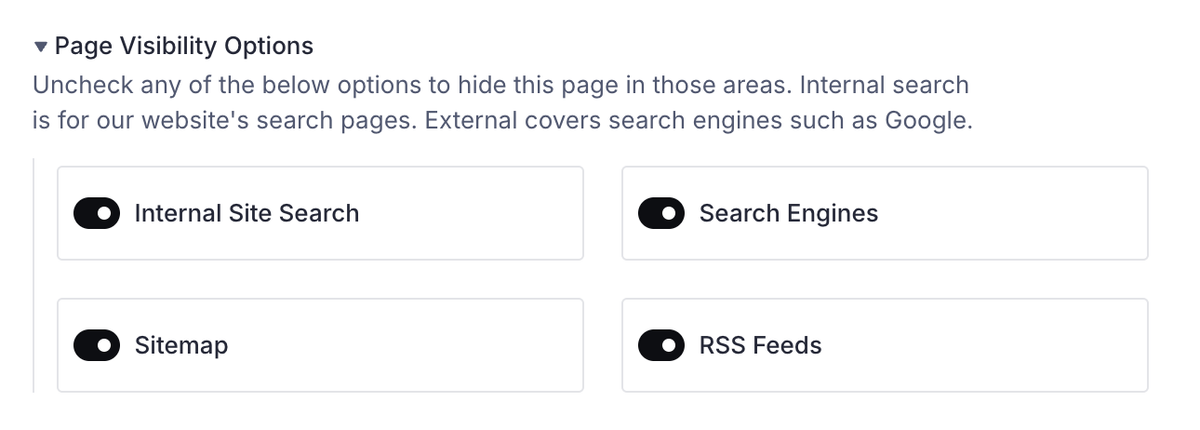
- Page visibility options
- Managing Redirects
Now, the fix for this one is a bit plain: build and deploy the missing functionality.
Sitemaps should list out all your page URLs by loading them from Sanity. Multiple sitemaps should be used if you have more than 50,000 page URLs, so this should be managed as well.
RSS Feeds should be formatted in the appropriate way and deployed to feed.xml or feed.json, and should include documents your readers find interesting. You may want to split these into multiple feeds if your audience would like to subscribe to specific content types.
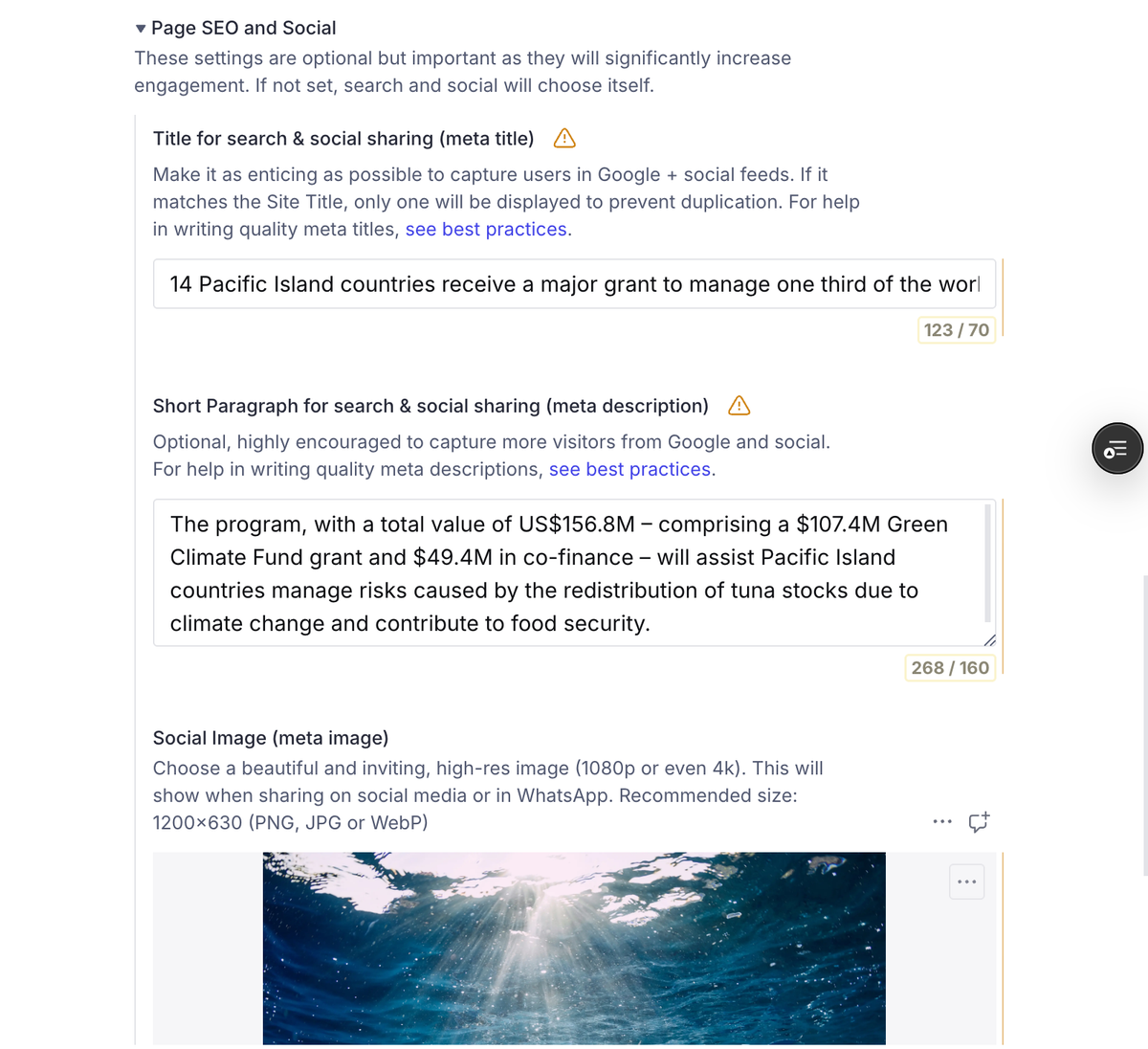
Managing SEO requires schema changes in Sanity and frontend changes to use that SEO data. This should then apply to your <title> tag, and apply other open graph tags across your site. A best-in-class solution would also give you global SEO options, such as setting a site title, a concatenation character (e.g. |), whether to append site title before or after page title, and favicons for both light and dark mode.
Page visibility options require slightly more care, ensuring that any content queries take the page visibility options into account and don’t over-expose content.
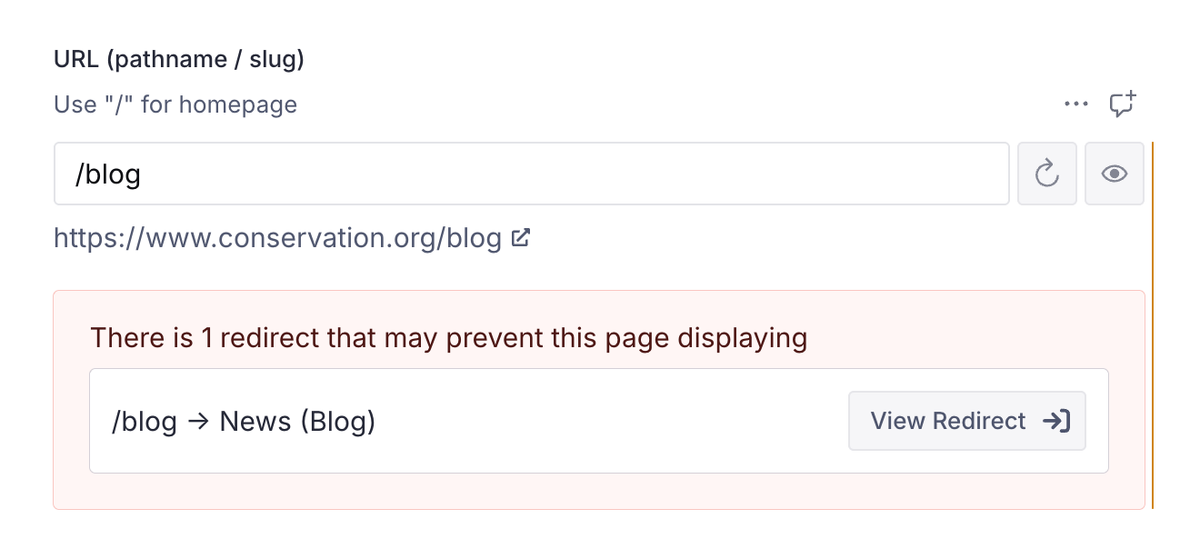
The ability to manage redirects sounds simple, but a truly expert redirection manager will do more for you. This would include creating redirects for plain URLs and for regex URLs, as well as showing all redirects pointing to a specific page, and flagging when a page URL you’re trying to use would be captured by a redirect. It should also automatically create redirects when you change a page URL, and allow you to opt-out per URL change if you don’t want it to.
Thankfully, if you work with an expert partner like Hex, they will have built these tools over and over again, and will have solutions they can quickly deploy to your website. Having it pre-built saves you the overhead of building it yourself, ensures it’s high quality as it’s been tried and tested, and let’s you get it out quickly. If you’re engaging with a new agency, ask for a list of features for the website to ensure you’ll be getting these industry standard features, and to avoid surprises later on.
Content Not Updating Immediately on Publish (or not publishing at all)
Publishing content is the core job of a CMS. If it’s not doing that correctly it’s not fit for purpose.
Sadly I’ve seen numerous builds with incorrectly configured caching, incomplete cache invalidation, or with no thought to caching and invalidation at all. That’s resulted in editors hitting Publish and… nothing. Refresh. Refresh. REFRESHHH. Still nothing.
How content gets from the CMS to the website is a black box that editors shouldn’t need to think about, and yet when things aren’t working it’s incredibly frustrating to have no where to turn to find out why.
Typically this is caused by caching. Versions of content are saved in memory on servers around the world (caches), ready to send that content to your users. This keeps things lightning fast as they don’t need to send a request to that one server that hosts the source of truth of your content, and wait for its reply.
Despite it’s widespread use, caching, and refreshing caches in particular, is difficult. You don’t want to store the content for too long, less users see old versions. You also don’t want to refresh the cache too often, or your website will slow down while content is sent further around the world.
You need a fine balance between the two.
There’s often also not just one cache to refresh. You may have one cache holding content from Sanity (object cache), another with a rendered page using that content (full route cache), another one on each user’s computer caching what they’ve downloaded for each page (Router Cache), and often more.
All these caches are doing different things, but they all might cause the final page your users see to be stale if not carefully managed.
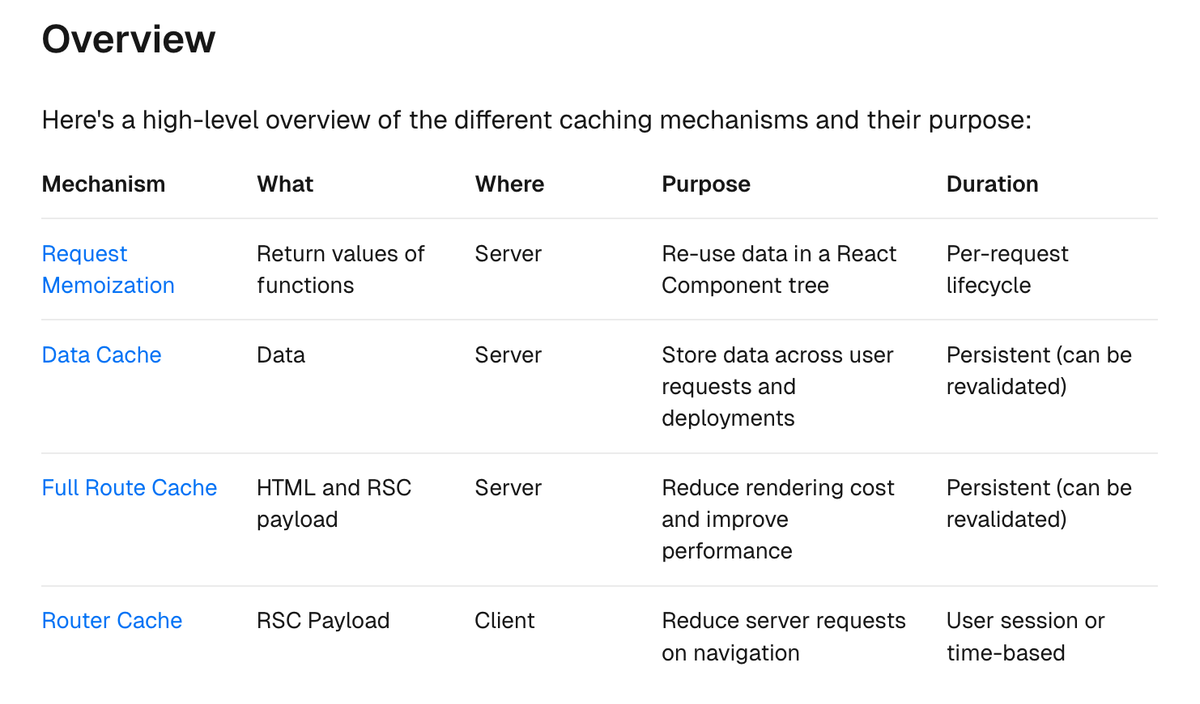
The fix for this one is to work through your website or digital platforms, identify the different caching layers and their configurations, understand exactly how content flows through them and when it’s cached, and create a plan for refreshing just the parts of those caches that hold your newly published or edited content.
Sounds easy right?
It's worth the effort. Once you’ve done this, you’ll find that content never loads stale again.
Manually Duplicating and Syncing Content Across Pages
I once worked with a client that had an active campaign banner on every page. When the active campaign was changing they would block out a day in their calendar to “update the campaign banner”.
They would painstakingly go into every page in their CMS and copy/paste the content for the new active campaign into the banner on that page.
An entire day spent copy and pasting the same content.
Sanity’s whole spiel is that structured content is powerful. That your content should be data, and that data is valuable, queryable, and, importantly, able to be referenced in other places.
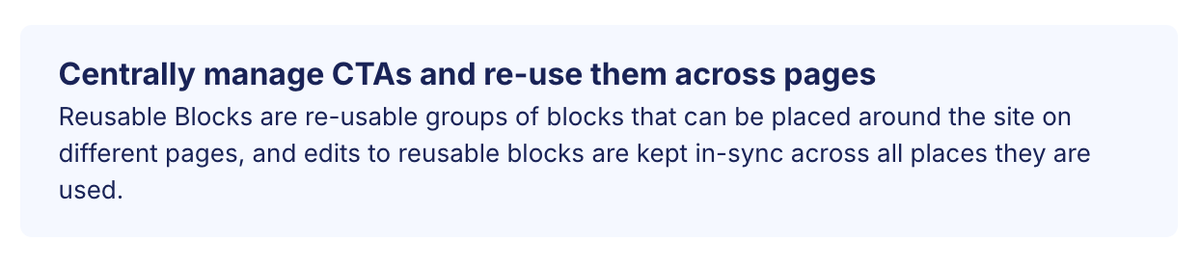
That banner should have been built in one place, and linked in on each of those pages. The client should only have to edit it once and have those changes reflected across every page, website, or app that it’s used on.
And this isn’t difficult or complex. It does, however, separate the teams who plan and the teams who don’t.
Building out a content model and thinking about how that content is going to be used is the key solve here. Working closely with the editorial teams to understand their content, their workflow, and their needs, then building out a content model that reflects that. That surprises and delights them with features they didn’t know they needed and that 10x their efficiency.
Think about your content as reusable, reference-able data, build your content model to reflect that, and never hit paste again.
Ready to Fix Your Sanity Build?
These issues are some of the main headaches I’ve seen from builds that needed our help to rescue them, but there are lots more related to other technology too. React, Next.js, and other CMS’ like Contentful or DatoCMS can all be architected or built poorly, and need proper care and attention.
These problems aren't just frustrating—they directly impact your team's productivity, your website's performance, and ultimately your business outcomes.
And with the rise in AI, and the lower barriers to entry for building a website, it’s even more important to be working with an agency that has demonstrable experience of successful Sanity projects and happy clients, less you fall into the trap of a failed build.
At Hex Digital, we've seen these issues time and again, and we've developed proven solutions for each one. We’re Sanity Certified, listed as a Sanity Preferred Partner, and we have one of only several Sanity nominated MVPs on our team. We bring unparalleled expertise to ensure your Sanity implementation works exactly as it should.
Whether you're looking to fix an existing implementation or start fresh with a properly configured build, we can help you unlock the full potential of Sanity CMS.
Take the Next Step
Don't let technical issues hold back your content team or limit your digital presence. Book a free, no-obligation consultation with our team to discuss your Sanity challenges and explore how we can help.
Book a consultation with Hex Digital today →
Or if you prefer, contact us to learn more about our Sanity CMS services and how we can transform your digital experience.
About the author
Jamie Warburton is a staff engineer and engineering leader. As Hex's Head of Engineering, Jamie ensures we make the right technical decisions at the right time to build the right products for our clients. Jamie is a Sanity CMS and Next.js expert, and one of a small handful of selected Sanity-MVPs.